

Prerequisites
- A Breet Partner Account
- Your App ID and App Secret from the dashboard
Don’t have API dashboard access? Fill out this form to speak with our team and get set up.
Step 1: Get your credentials
- Log in to the Breet API Dashboard.
- Go to Settings → For Developer.
- Create or copy your App ID and App Secret (API Secret Key).
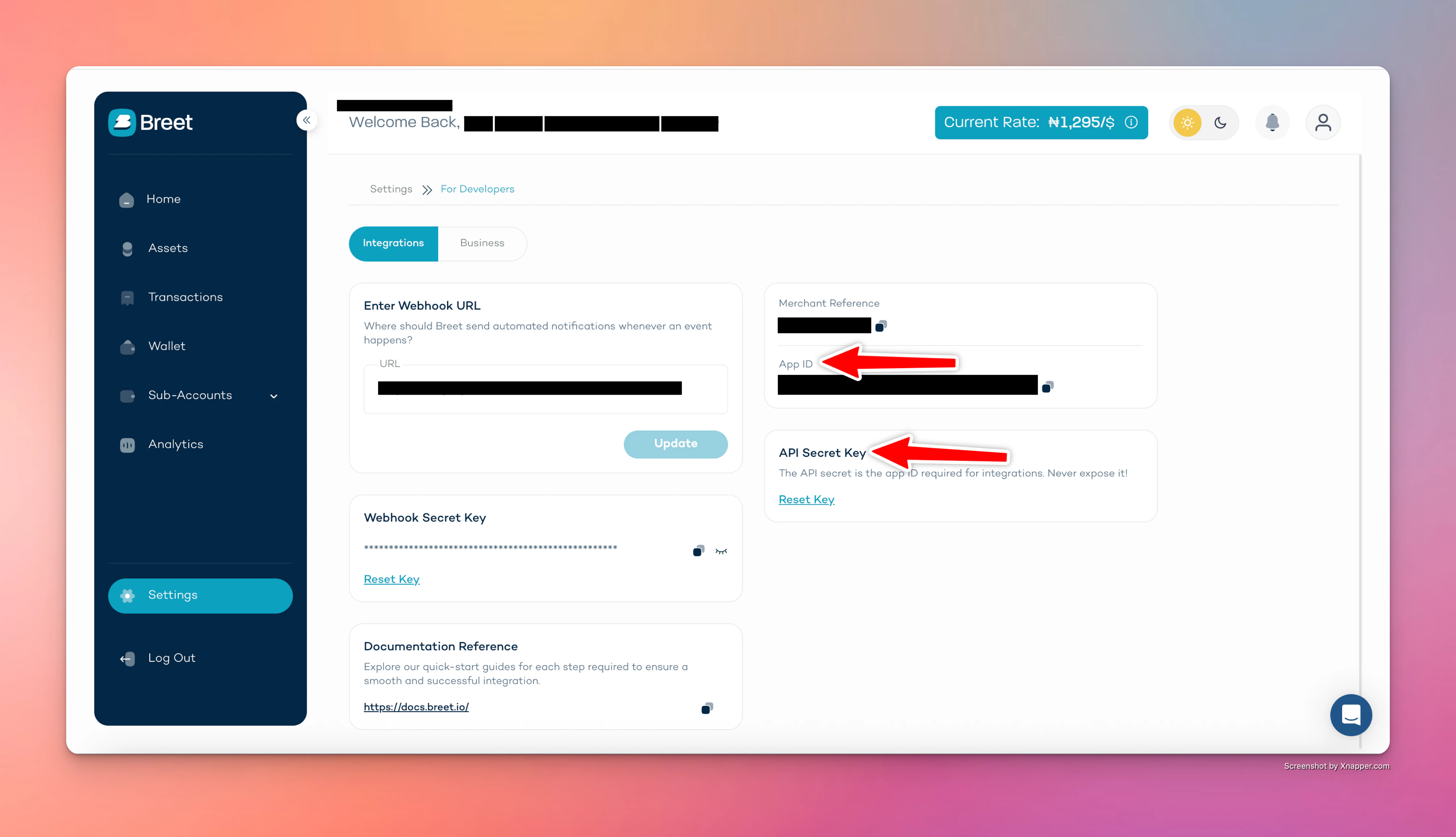
App ID and API Secret Key on the Settings page
Step 2: Set required headers
Every API request must include:Step 3: Make your first request
Base URL:https://api.breet.io/v1
Example 1: list supported assets.
ASSET_ID with a valid asset ID from the assets list).
AI-powered docs
Connect our documentation to your AI coding tools via MCP so your assistant can search the Breet API docs while you build.Cursor
Install in Cursor
VS Code
Install in VS Code
Other tools
Copy MCP URL
Next steps
- Read the API overview for full authentication and security details.
- Explore the API reference for all endpoints, request bodies, and responses.
- Enable auto-settlement to automatically convert crypto deposits to local currency and pay out to a bank account.
- Set up webhooks to receive real-time events when funds arrive or withdrawals complete.
- Learn about pagination, error handling, and rate limiting.
- Browse use cases to see how teams integrate Breet for fintech, e-commerce, payroll, and more.
- Try the API Demo to explore and test the API flows in an interactive environment.